Battery Part Number Guides by Brand
MSI Battery Part Number Identification
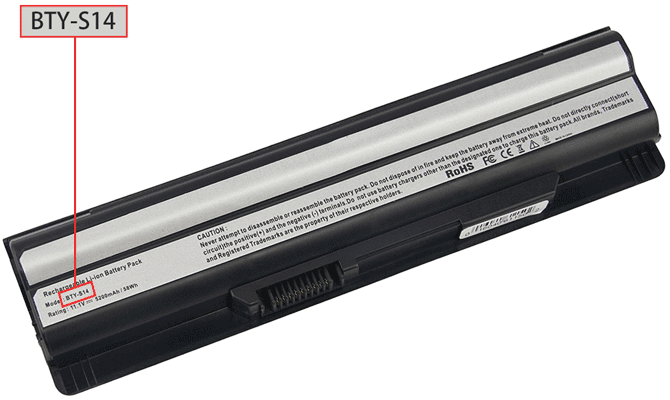
MSI laptop batteries often use BTY codes or longer manufacturer codes printed near the barcode. Searching by these battery part numbers is usually more accurate than searching only by MSI gaming or creator laptop series names.
Quick steps
- Power off the MSI laptop and unplug the charger.
- Inspect the battery label or ask a technician to check the internal battery if needed.
- Look for BTY, Model, P/N or long barcode codes.
- Copy the full code exactly, including dashes.
- Verify the battery voltage, capacity, connector and laptop compatibility list before ordering.
Common MSI battery part number examples
BTY-S14
A32-A24
14L-MS6837D1
3715A-MS6837D1
TX2-RTL8187SE
Compatibility tip: Gaming laptop batteries may vary by chassis generation. Confirm the exact battery label code even if the laptop model name looks similar.
FAQ
Are BTY codes battery part numbers?
Yes. MSI batteries commonly use BTY-style identifiers, and these are useful for replacement searches.
Can I order by laptop series name only?
Use the series name as a secondary check. The battery label code should be the primary match.