Battery Part Number Guides by Brand
Sony Battery Part Number Identification
Sony Vaio batteries commonly use VGP-BPS codes, while some Sony tablet batteries use different service part numbers. Search by the printed battery part number first for the most accurate replacement results.
Quick steps
- Turn off the Sony laptop or tablet and disconnect the charger.
- Inspect the battery label or internal battery safely.
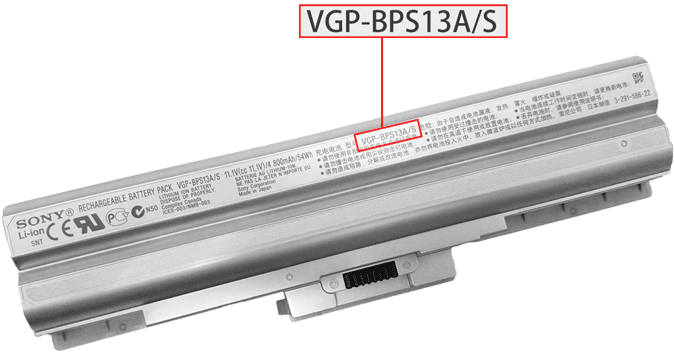
- Look for VGP-BPS, Model, P/N or barcode text.
- Copy the full code exactly, including suffixes such as /S or /E.
- Compare the part number with device model, voltage, capacity, connector and battery shape.
Common Sony battery part number examples
VGP-BPS20
VGP-BPS13A/S
Limited Edition 007
A1258274A
SGPBP01/E
Tablet S1
Compatibility tip: Sony part suffixes can matter. If your battery label includes extra letters or a slash code, include it when searching.
FAQ
Are VGP-BPS codes Sony battery part numbers?
Yes. VGP-BPS codes are common Sony Vaio battery identifiers.
Can I search by Vaio model name?
You can, but the battery part number is usually the more accurate compatibility signal.